Skip to content
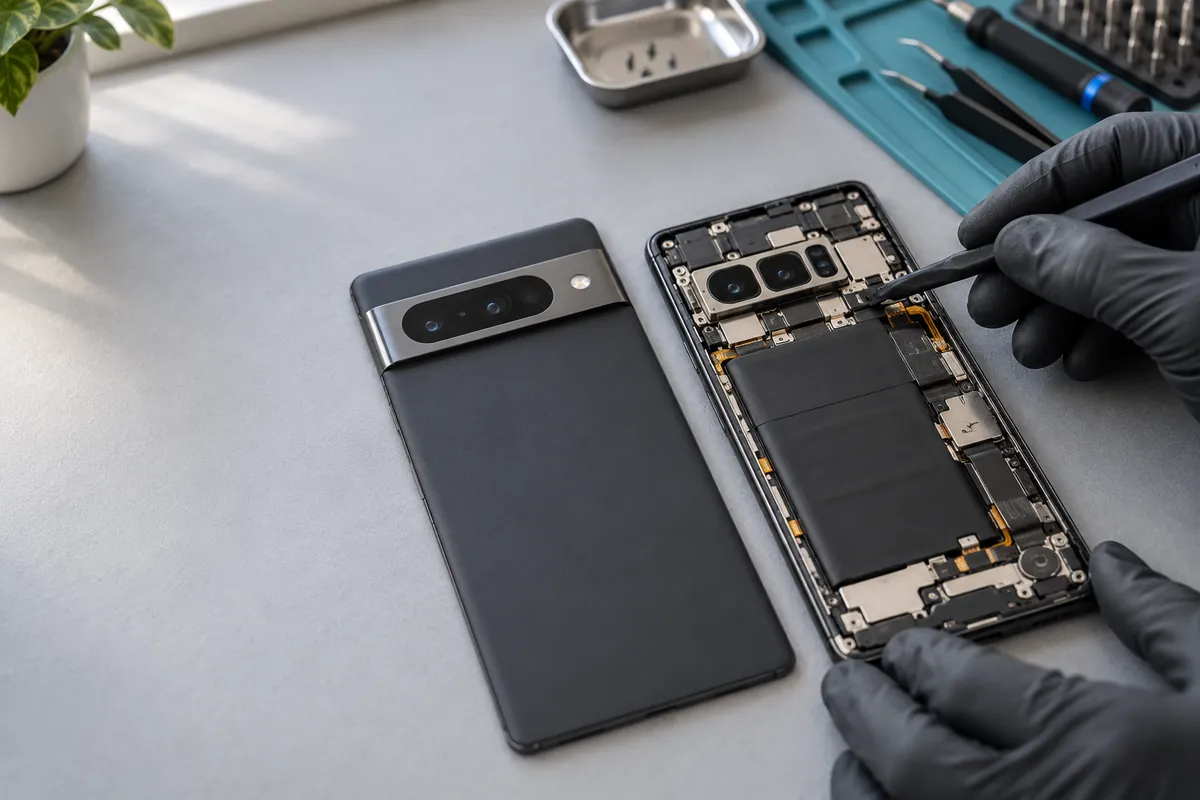
Illustrative close-up of a Pixel-style phone being inspected beside its removed camera-bar back cover

Fon Fix 4 U · Hendon Central

Google Pixel
repairs in Hendon

A damaged display, a camera that will not focus or a phone that will not charge. Find the repair options for your Pixel.

Not sure of the model? Identify your Pixel ↗

4 Watford Way, NW4 3AD · Daily, 10am–8pm

01 / Display & touch

Pixel screen replacement.
Check the display, not just the glass.

A cracked corner is easy to spot. Lines, dark patches and missing touch response can appear while the outer glass still looks intact.

Tell us how it started and whether fingerprint unlock still works. We assess the fault and explain the proposed display option before you choose.

  • Ask which replacement display is being quoted.
  • Confirm touch and fingerprint testing for your model.
  • Check the frame for damage after a drop.
Compare screen starting prices ↓

Display, touch and unlock checks

02 / Power & connection

Battery drain and charging faults
need different checks.

Pixel battery replacement

Running out of power too soon?

Rapid drain or unexpected shutdowns can need a battery assessment. Describe when it happens and whether the phone also has charging problems.

The guide below uses the third-party replacement battery option. Confirm the actual part, fitted price and repair warranty.

Check your battery guide ↓
Pixel charging-port repair

Only charging at an angle?

Bring the cable you normally use and describe any loose connection. A cable, port, battery or internal fault can affect charging.

A charging-port replacement quote follows assessment. Cleaning and replacement are different jobs.

Discuss the charging fault ↗

Illustration: checking a USB-C connection

03 / Camera & lens

Blurred pictures.
Cracked lens cover.
Different repair options.

Tell us which camera is affected and whether the lens glass is damaged. A lens-cover replacement and a camera-module repair are separate jobs.

Focus problems, shaking images or a camera that will not open need their own assessment. These are quoted for the exact model.

Ask about your Pixel camera ↗

Model-specific guide

Google Pixel repair prices

Starting prices for the genuine Google display option, third-party battery option and charging-port replacement.

Find the exact model firstWhich Pixel do I have? ↗
Pixel 6–10 repair starting prices in pounds. Part choice and availability must be confirmed.
Google PixelScreen · genuine optionBattery · third-party optionCharging port
Pixel 10 Pro XL£289£89£109
Pixel 10 Pro£269£89£109
Pixel 10£249£79£99
Pixel 9a£159£69£89
Pixel 9 Pro XL£259£79£99
Pixel 9 Pro£249£79£99
Pixel 9£179£79£99
Pixel 8a£149£69£89
Pixel 8 Pro£239£79£99
Pixel 8£179£69£89
Pixel 7a£139£59£79
Pixel 7 Pro£229£69£89
Pixel 7£169£59£79
Pixel 6a£139£59£79
Pixel 6 Pro£199£69£89
Pixel 6£149£59£79

Guide matches our Ruislip Pixel prices ↗, checked 24 October 2026. Confirm the fitted part, total quote, stock and repair warranty with Hendon before booking. Earlier Pixels, Pixel 10a, Pixel 11 and Fold models need a separate quote.

Before your visit

Back up first.
Ask about Repair Mode.

Eligible Pixels offer Repair Mode for servicing. Google still recommends a backup before every repair. Keep your Google Account password and lock-screen code private.

Read Google’s Repair Mode guidance ↗
  1. 01

    Describe the fault

    Your model, what happened and which feature is affected.

  2. 02

    Agree the repair

    Confirm the part, full price, time and warranty before work starts.

  3. 03

    Check the result

    Ask which functions will be tested for your repair.

Your questions

Pixel repairs: what to know

How much does Google Pixel screen repair cost in Hendon?

The genuine-display starting prices in this guide run from £139 to £289 for the listed Pixel 6 to 10 models. The model and chosen part determine the quote. Confirm the fitted part and availability with the Hendon shop before booking.

Can you assess a Pixel with a green line or black screen?

Yes. Describe whether the fault followed a drop, pressure, liquid exposure or an update. Lines, flicker and a black screen need assessment; we confirm the cause before recommending a display replacement.

Will fingerprint unlock work after a screen replacement?

Ask which display is being quoted and whether fingerprint calibration and testing are included for your model. Tell us if fingerprint unlock was already failing before the damage. A new display does not automatically resolve every fingerprint fault.

Do you assess Pixel camera and charging faults?

Yes. Tell us which camera is affected or how the charging problem behaves. Lens-cover damage, focus problems, a loose USB-C connection and poor battery life can require different repairs and quotes.

What if I do not know which Pixel I have?

Use our separate Which Google Pixel do I have? tool. Enter the short model code from Regulatory labels or the original box. The tool identifies the model and links back to repair options. Do not enter an IMEI or serial number.

What should I do before bringing my Pixel in?

Back up the phone if you can. Eligible Pixels offer Repair Mode in Settings, then System, then Repair mode. Back up even when using Repair Mode and keep your account password and lock-screen code private. Confirm the repair time, part, price and warranty with the shop.
Keeping it or replacing it?

Repair your Pixel.
Or ask us for an offer.

Visit 4 Watford Way, Hendon Central.
Open every day, 10am–8pm.